GPUs ranking
Best Ray-Tracing GPUs in 2026 for 1440p and 4K
Ray tracing increases both rendering load and reliance on a game's upscaling implementation. This shortlist separates the best overall choice from 1440p, flagship, entry-level, previous-generation, and AMD alternatives without treating an editorial score as a lab benchmark.
Updated 2026-09-09
Scores are editorial estimates based on public product data and the published category weights; they are not lab measurements.
Quick picks
Jump straight to the right product for your situation.
4K and flagship picks
Top pick
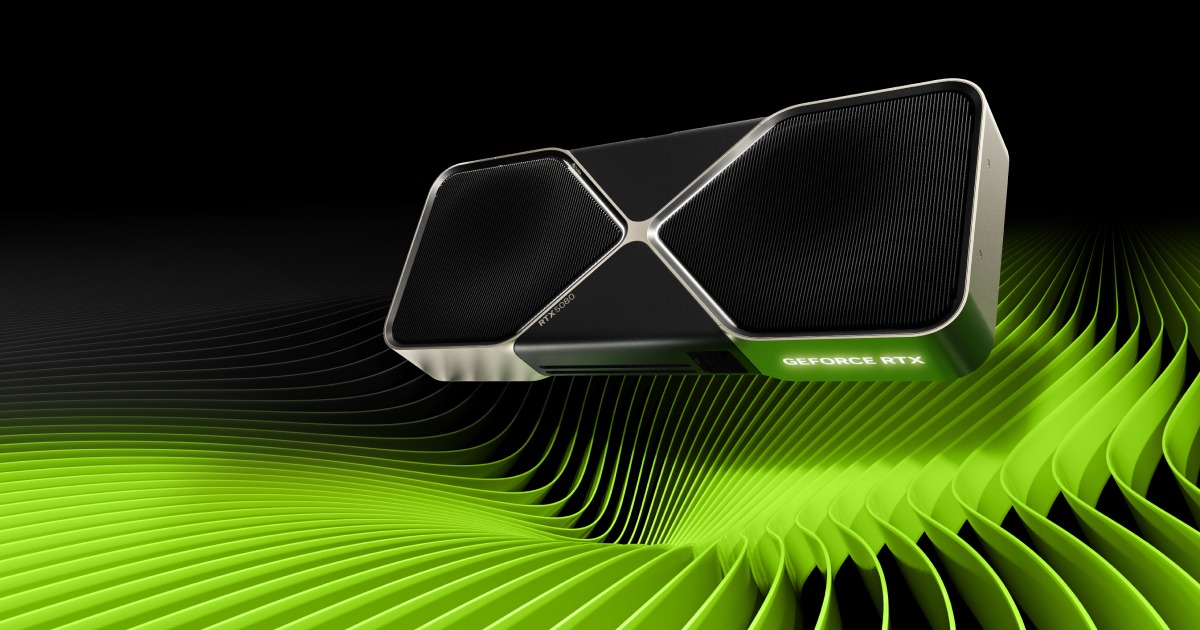
GeForce RTX 5080
GeForce RTX 5080 is best suited to 4K high gaming and creator PCs. Compare alternatives if this documented drawback would undermine that fit: Driver maturity varies by title and launch window.
- 1Editorial 8.8 / 10
GeForce RTX 5080
GeForce RTX 5080 is best suited to 4K high gaming and creator PCs. Compare alternatives if this documented drawback would undermine that fit: Driver maturity varies by title and launch window.
Why it ranks here
Best overall: its cited 16GB of GDDR7, fourth-generation RT cores, and DLSS 4 feature set make it the most balanced starting point for a premium 4K ray-tracing build without automatically paying for the RTX 5090.
Buyer note
The product record still has uncited board-power, PSU, connector, and size fields. Confirm the exact partner card and total platform cost instead of relying on the editorial reference price.
Gaming 1440p
9.4
Gaming 4K
9.1
Ray Tracing
9.3
- 2Editorial 8.5 / 10
GeForce RTX 5070
GeForce RTX 5070 is best suited to 1440p high refresh and efficient gaming PCs. Compare alternatives if this documented drawback would undermine that fit: Driver maturity varies by title and launch window.
Why it ranks here
Best 1440p starting point: the cited 12GB GDDR7 configuration, fourth-generation RT cores, and DLSS 4 support target buyers who want current NVIDIA features without moving into the 4K-premium tier.
Buyer note
Twelve gigabytes provides less memory headroom than the 16GB alternatives in this list. Treat 4K as a game-by-game decision and verify PSU and board dimensions before ordering.
Gaming 1440p
8.8
Gaming 4K
7.9
Ray Tracing
8.7
- 3Editorial 8.8 / 10
GeForce RTX 5090
GeForce RTX 5090 is best suited to 4K ultra gaming and AI workloads. Compare alternatives if this documented drawback would undermine that fit: Driver maturity varies by title and launch window.
Why it ranks here
Best no-compromise option: the official source covers 32GB of GDDR7, fourth-generation RT cores, DLSS 4, a 575W total graphics power figure, and a 1000W required system-power reference.
Buyer note
Its flagship price and power requirements are difficult to justify for gaming alone. Check that the extra memory or creator workload benefit is real and budget for the complete system, not only the card.
Gaming 1440p
9.8
Gaming 4K
9.8
Ray Tracing
9.8
- Editorial 84
GeForce RTX 5060 Ti
GeForce RTX 5060 Ti is best suited to efficient 1440p and compact builds. Compare alternatives if this documented drawback would undermine that fit: Street pricing swings hard around new-generation launches.
Why it ranks here
Best entry point: NVIDIA documents 8GB and 16GB configurations with fourth-generation RT cores and DLSS 4, giving 1080p and 1440p buyers a current-feature option below the RTX 5070 tier.
Buyer note
The two memory configurations should not be treated as interchangeable. Prefer the 16GB model for memory-sensitive workloads, then compare its actual price with faster neighboring cards.
- Editorial 8.55
GeForce RTX 4070 Super
GeForce RTX 4070 Super is best suited to 1440p DLSS and efficient midrange. Compare alternatives if this documented drawback would undermine that fit: Ray tracing still trails higher-tier cards in demanding titles.
Why it ranks here
Best previous-generation alternative: its official source covers 12GB of GDDR6X, third-generation RT cores, DLSS 3.5, and a 220W total graphics power reference, making it easy to compare with a discounted RTX 5070.
Buyer note
It uses the previous RTX feature generation. Only choose it when the real checkout discount is large enough to outweigh the RTX 5070's newer feature set and similar 12GB capacity.
- Editorial 8.66
Radeon RX 9070 XT
Radeon RX 9070 XT is best suited to 1440p ultra and value 4K. Compare alternatives if this documented drawback would undermine that fit: Ray tracing still trails higher-tier cards in demanding titles.
Why it ranks here
Best AMD alternative: AMD's cited specification page covers 16GB of GDDR6, a 256-bit bus, 304W typical board power, a 750W PSU recommendation, and current display outputs for a high-end Radeon build.
Buyer note
This is a ray-tracing-first ranking, and the current field-level source does not verify the listed RT or upscaling fields. Compare current game-specific measurements and feature support before assuming raster value carries over.
Buying guide
Who this ranking is for
This ranking is for buyers who actively plan to enable ray tracing and need a shortlist by resolution and budget. It is not a generic GPU performance chart. Start with the RTX 5070 for a current-feature 1440p build, the RTX 5080 for a premium 4K build, or the RTX 5060 Ti when entry price and the choice between 8GB and 16GB configurations matter most. The RTX 5090 is reserved for buyers who can justify its memory, power, and total system cost.
How to read the order
The order is editorial and use-case based. It combines cited feature coverage, memory capacity, intended resolution, power implications, and whether a card occupies a useful price tier. It does not claim that one card wins every game. The RTX 5080 leads because it is the most balanced premium starting point; the RTX 5090 ranks lower because maximum capability is not the same as the best purchase for most 4K players.
The three checkout checks
First, compare the exact board rather than the GPU name alone: cooler size, power connector, warranty, and factory settings vary. Second, calculate the whole upgrade cost, including a PSU, cable, or case change. Third, verify support in the games you play. Upscaling and frame generation can materially change the experience, but only when the title and chosen mode support them. Product-page prices are editorial references and must be checked again at the retailer.
When a lower-ranked card is the better buy
Choose the RTX 5060 Ti over the RTX 5070 when the 16GB configuration fits your workload and preserves budget for the rest of the system. Choose the RTX 4070 Super only when clearance pricing creates a real discount against the RTX 5070. Choose the RX 9070 XT when Radeon ecosystem fit and 16GB capacity matter, but validate current ray-tracing and upscaling results in your own games because its cited source coverage does not yet verify those two fields.
How we picked
- The order starts with ray-tracing hardware generation, supported upscaling and frame-generation features, VRAM capacity, and the intended 1440p or 4K use case.
- Power-supply requirements, connector and case compatibility, and whether a buyer is paying for useful headroom are considered before a higher-tier card moves up the list.
- Prices shown on product pages are editorial US references rather than live offers; checkout price and exact board-partner configuration must be verified before purchase.
- No position should be read as a cross-game benchmark result. Use current independent tests for the games, resolution, ray-tracing preset, and upscaling mode you actually plan to use.
Budget advice
Choose the monitor target first, then reserve budget for any required PSU, cable, or case change. For 1440p, compare the RTX 5070 with the 16GB RTX 5060 Ti configuration and discounted RTX 4070 Super boards. For 4K, compare the RTX 5080 with the RTX 5090 only if the flagship's additional memory and power envelope solve a real workload. Radeon buyers should treat the RX 9070 XT as an alternative branch and verify game-specific ray-tracing results before checkout.
Buying timing
Buy when a verified board fits your case and power supply and its checkout price creates a clear gap from the next card. Wait when a previous-generation card is priced too close to its replacement, when the required PSU upgrade erases the apparent discount, or when the games you play do not yet support the upscaling or frame-generation feature driving the purchase.
Product sources and verification
Ranking order is editorial. The links below support identified product specification fields; unbadged data, current prices, configurations, and regional availability still require a checkout-time check.
- NVIDIA GeForce RTX 5080 graphics card overview · GeForce RTX 5080 · accessed 2026-07-29
- NVIDIA GeForce RTX 5070 family graphics card overview · GeForce RTX 5070 · accessed 2026-07-29
- NVIDIA GeForce RTX 5090 specifications · GeForce RTX 5090 · accessed 2026-07-29
- NVIDIA GeForce RTX 5060 family specifications · GeForce RTX 5060 Ti · accessed 2026-07-29
- NVIDIA GeForce RTX 4070 family specifications · GeForce RTX 4070 Super · accessed 2026-07-29
- AMD Radeon RX 9070 XT product specifications · Radeon RX 9070 XT · accessed 2026-07-29
FAQ
Which ray-tracing GPU should I start with for 1440p?
Start with the RTX 5070 if current NVIDIA RT and DLSS features are the priority. Compare the 16GB RTX 5060 Ti configuration when memory capacity or total budget matters more, and consider the RTX 4070 Super only when its checkout price is meaningfully lower.
Do I need an RTX 5090 for 4K ray tracing?
Not automatically. The RTX 5080 is the more balanced first comparison for a premium 4K build. Move to the RTX 5090 only when its 32GB memory capacity, flagship feature set, or creator workloads justify the much higher whole-system price and power requirement.
Can specification scores predict ray-tracing performance in every game?
No. The scores and order are editorial decision aids, not cross-game benchmark results. Check recent independent tests using the same game, resolution, ray-tracing preset, upscaling mode, and frame-generation setting you intend to use.
Related comparisons
GeForce RTX 5070 vs Radeon RX 9070: Which Should You Buy?
Compare GeForce RTX 5070 and Radeon RX 9070 by 1440p performance, 4K headroom, VRAM, ray tracing, power draw, cooler size, driver support, and street.
GeForce RTX 5080 vs Radeon RX 9070 XT: Which Should You Buy?
Compare GeForce RTX 5080 and Radeon RX 9070 XT by 1440p performance, 4K headroom, VRAM, ray tracing, power draw, cooler size, driver support, and street.
GeForce RTX 5090 vs GeForce RTX 5080: Which Should You Buy?
Compare GeForce RTX 5090 and GeForce RTX 5080 by 1440p performance, 4K headroom, VRAM, ray tracing, power draw, cooler size, driver support, and street.
GeForce RTX 5070 vs GeForce RTX 4070 Super: Which Should You Buy?
GeForce RTX 5070 vs GeForce RTX 4070 Super: compare gaming performance, VRAM, ray tracing, power, price, and availability.
GeForce RTX 5060 Ti vs GeForce RTX 4070 Super: Which Should You Buy?
GeForce RTX 5060 Ti vs GeForce RTX 4070 Super: compare gaming performance, VRAM, ray tracing, power, price, and availability.
Related guides
Ray Tracing vs Rasterization Performance
Ray Tracing vs Rasterization Performance for North America shoppers, with practical links to products, rankings, comparisons, and category pages.
DLSS vs FSR vs XeSS: Upscaling Compared
DLSS vs FSR vs XeSS: Upscaling Compared for North America shoppers, with practical links to products, rankings, comparisons, and category pages.
GPU Power Supply Guide: Choosing the Right PSU
A practical guide to matching your GPU with the right power supply, including wattage headroom, connector types, efficiency ratings, and upgrade planning.
How Much VRAM Do You Need?
How Much VRAM Do You Need? for North America shoppers, with practical links to products, rankings, comparisons, and category pages.