Laptops ranking
Best Laptops Under $1,000
Under $1,000 should still feel like a machine you can live with for school, remote work, and travel. We ranked these laptops for battery life, display usefulness, build practicality, and whether the configuration is actually complete at the advertised price.
Updated 2026-08-23
Scores are editorial estimates based on public product data and the published category weights; they are not lab measurements.
Quick picks
Jump straight to the right product for your situation.
Top pick
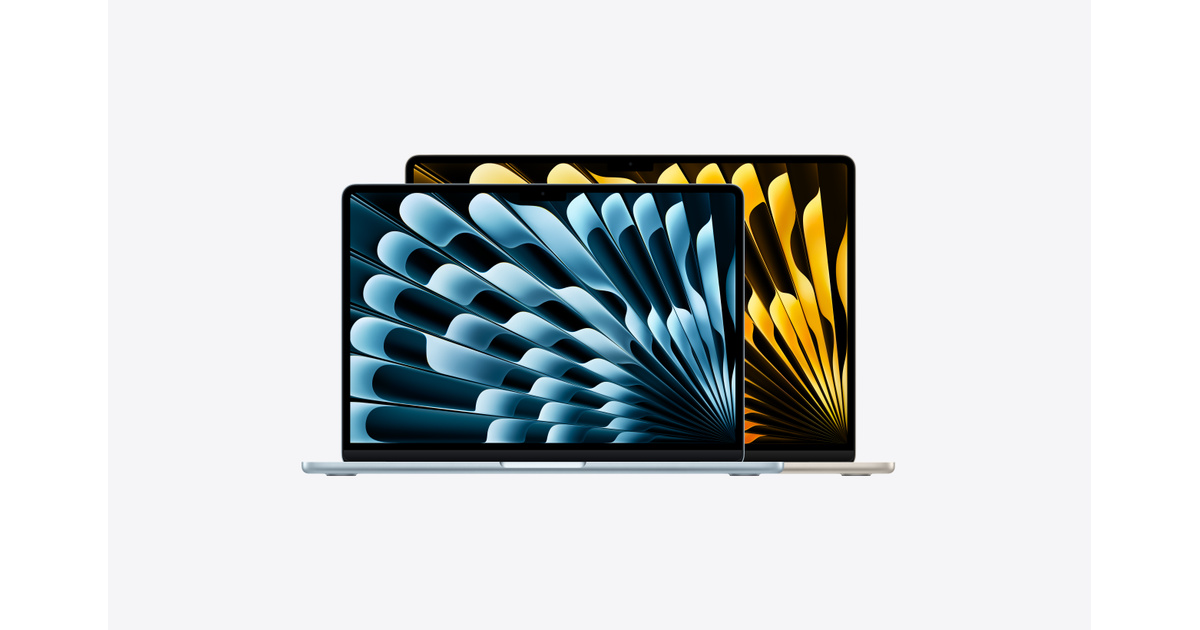
MacBook Air 13-inch M3
Choose the 13-inch MacBook Air M3 for a light Apple laptop with a 13.6-inch display and up to 18 hours of rated movie playback. Skip it if you need more ports or dual external displays without closing the laptop lid.
- 1Editorial 8.8 / 10
MacBook Air 13-inch M3
Choose the 13-inch MacBook Air M3 for a light Apple laptop with a 13.6-inch display and up to 18 hours of rated movie playback. Skip it if you need more ports or dual external displays without closing the laptop lid.
Why it ranks here
MacBook Air M3 earns its spot because it stays practical for students and discounted MacBook Air without forcing ugly compromises in battery life, weight, or day-to-day usability around $899.
Buyer note
Skip it if ram or storage upgrades are limited on several thin models. Confirm RAM, storage, and whether your software needs push you toward Windows or macOS before buying.
Performance
8.5
Battery
9.2
Portability
9.2
- 2Editorial 8.7 / 10
Microsoft Surface Laptop 7
Choose Surface Laptop 7 for a clean Windows ultraportable with a touch display and strong claimed battery life. Compare x86 alternatives if a specialized app, peripheral, or corporate tool has not been confirmed for the laptop's Windows-on-Arm environment.
Why it ranks here
Microsoft Surface Laptop 7 earns its spot because it stays practical for premium Windows ultraportable and battery life without forcing ugly compromises in battery life, weight, or day-to-day usability around $899.
Buyer note
Skip it if ram or storage upgrades are limited on several thin models. Confirm RAM, storage, and whether your software needs push you toward Windows or macOS before buying.
Performance
8.3
Battery
9.3
Portability
9
- 3Editorial 8.5 / 10
ASUS Zenbook 14 OLED
ASUS Zenbook 14 OLED is best suited to OLED ultraportable and students and professionals. Compare alternatives if this documented drawback would undermine that fit: Display or speaker quality can feel average once you leave the desk.
Why it ranks here
ASUS Zenbook 14 OLED earns its spot because it stays practical for OLED ultraportable and students and professionals without forcing ugly compromises in battery life, weight, or day-to-day usability around $849.
Buyer note
Skip it if display or speaker quality can feel average once you leave the desk. Confirm RAM, storage, and whether your software needs push you toward Windows or macOS before buying.
Performance
8.2
Battery
8.4
Portability
8.9
- Editorial 8.24
Acer Swift Go 14 (SFG14-72)
Choose the Swift Go 14 SFG14-72 when its OLED option, portable weight and useful ports fit your work. Confirm the exact display, processor, memory and storage SKU before buying because Acer publishes multiple configurations.
Why it ranks here
Acer Swift Go 14 earns its spot because it stays practical for budget ultraportable and OLED value without forcing ugly compromises in battery life, weight, or day-to-day usability around $699.
Buyer note
Skip it if display or speaker quality can feel average once you leave the desk. Confirm RAM, storage, and whether your software needs push you toward Windows or macOS before buying.
- Editorial 8.15
Framework Laptop 13
Choose Framework Laptop 13 when repair access and future upgrades matter more than getting the lowest ready-to-use price. Compare a conventional ultraportable if you prefer a fixed configuration, wider retail availability, or fewer component decisions at checkout.
Why it ranks here
Framework Laptop 13 earns its spot because it stays practical for repairable laptops and upgrade-friendly ownership without forcing ugly compromises in battery life, weight, or day-to-day usability around $899.
Buyer note
Skip it if display or speaker quality can feel average once you leave the desk. Confirm RAM, storage, and whether your software needs push you toward Windows or macOS before buying.
- Editorial 8.66
Lenovo Yoga Slim 7x
Choose Yoga Slim 7x for a very light OLED ARM Windows laptop with modern USB4 connectivity. Check ARM app and accessory compatibility first, and note that the memory is soldered and the chassis has no USB-A, HDMI, audio jack or card reader listed in its core port specification.
Why it ranks here
Lenovo Yoga Slim 7x earns its spot because it stays practical for ARM Windows ultraportable and battery life without forcing ugly compromises in battery life, weight, or day-to-day usability around $999.
Buyer note
Skip it if discrete graphics options raise heat, noise, and price quickly. Confirm RAM, storage, and whether your software needs push you toward Windows or macOS before buying.
- Editorial 8.47
LG gram 14
LG gram 14 is best suited to ultra-light travel and long battery life. Compare alternatives if this documented drawback would undermine that fit: Display or speaker quality can feel average once you leave the desk.
Why it ranks here
LG gram 14 earns its spot because it stays practical for ultra-light travel and long battery life without forcing ugly compromises in battery life, weight, or day-to-day usability around $999.
Buyer note
Skip it if display or speaker quality can feel average once you leave the desk. Confirm RAM, storage, and whether your software needs push you toward Windows or macOS before buying.
Buying guide
Who this ranking is for
Best Laptops Under $1,000 is for shoppers deciding among MacBook Air 13-inch M3, Microsoft Surface Laptop 7, and ASUS Zenbook 14 OLED, not for readers looking for an exhaustive release list. Start by eliminating any product that misses a must-have requirement in portable performance, battery life, and display quality. Then use the product notes to check whether each pick's strongest use case and main drawback match the way you will actually use it.
How to read the order
In Best Laptops Under $1,000, MacBook Air 13-inch M3 leads because its fit for students and discounted MacBook Air is broad enough for the search intent. Microsoft Surface Laptop 7 remains the better branch when premium Windows ultraportable and battery life is more important. Read the order as a decision tree: move down the list when a lower pick solves your use case with a smaller compromise, not because one score is marginally higher.
Budget and value notes
Do not drain the whole budget on a thin chassis if it forces 8GB RAM or a dim display. A slightly less glamorous machine with better memory, storage, and battery life usually ages better. On this shortlist, LG gram 14 is the reminder that spending less can still be rational when the expensive option does not fix a problem you actually have.
What changed in this update
Shifted emphasis toward complete configurations, battery life, and avoiding false economies under $1,000. We also tightened each product note so the reason to buy and the reason to skip are explicit, and we refreshed the timing advice around current North America shopping patterns.
How we picked
- Battery life and thermals matter more than short benchmark spikes.
- Display quality affects writing, media, and video calls every day.
- RAM and storage configuration at the street price matter as much as the chassis name.
- Port selection and charger practicality affect travel friction.
- Student discounts, open-box pricing, and repairability can change total value.
Budget advice
Do not drain the whole budget on a thin chassis if it forces 8GB RAM or a dim display. A slightly less glamorous machine with better memory, storage, and battery life usually ages better.
Buying timing
Education pricing, holiday sales, and open-box inventory are the usual value windows. Buy when the configuration you need is discounted. Wait if the only available units are weak base models.
Product sources and verification
Ranking order is editorial. The links below support identified product specification fields; unbadged data, current prices, configurations, and regional availability still require a checkout-time check.
- Apple MacBook Air (13-inch, M3, 2024) technical specifications · MacBook Air 13-inch M3 · accessed 2026-07-30
- Microsoft Copilot+ PC launch announcement · Microsoft Surface Laptop 7 · accessed 2026-07-29
- ASUS Zenbook 14 (UX3405) - Tech Specs · ASUS Zenbook 14 OLED · accessed 2026-07-29
- Acer Swift Go 14 (SFG14-72) announcement and specifications · Acer Swift Go 14 (SFG14-72) · accessed 2026-07-30
- Framework Laptop 13 official hardware documentation · Framework Laptop 13 · accessed 2026-07-29
- Lenovo PSREF Yoga Slim 7 14Q8X9 (Yoga Slim 7x 14-inch Gen 9) · Lenovo Yoga Slim 7x · accessed 2026-07-30
FAQ
Is a MacBook Air worth it under $1,000?
Yes for many students and writers, especially when discounted, as long as you do not need Windows-only software or lots of ports.
What specs matter most under $1,000?
Aim for enough RAM for multitasking, fast storage, a readable display, and battery life that survives a full workday.
Should I buy a gaming laptop in this budget?
Only for actual gaming or GPU work. Otherwise the weight, noise, and battery trade-offs are usually worse for everyday use.
Related comparisons
MacBook Air M3 vs Microsoft Surface Laptop 7: Which Should You Buy?
MacBook Air 13-inch M3 vs Microsoft Surface Laptop 7: compare performance, battery, display, ports, price, and US/Canada availability.
MacBook Air M3 vs Dell XPS 13: Which Should You Buy?
Compare MacBook Air M3 and Dell XPS 13 by portable performance, battery life, keyboard quality, display type, ports, RAM, storage, and operating-system.
ASUS ROG Zephyrus G14 vs Razer Blade 14: Which Should You Buy?
Compare Zephyrus G14 and Razer Blade 14 by exact GPU and memory configuration, display, battery, portability, inputs, and total price.
Related guides
How Much RAM Do You Need in a Laptop?
A practical laptop RAM guide for students, office work, programming, creative workloads, browser tabs, and long-term value.
OLED vs IPS Laptop Displays
OLED vs IPS Laptop Displays for North America shoppers, with practical links to products, rankings, comparisons, and category pages.